Ultimate Guide to Planning Poker Online
Published Feb 23, 2026
⦁
10 min read
Ultimate Guide to Planning Poker Online
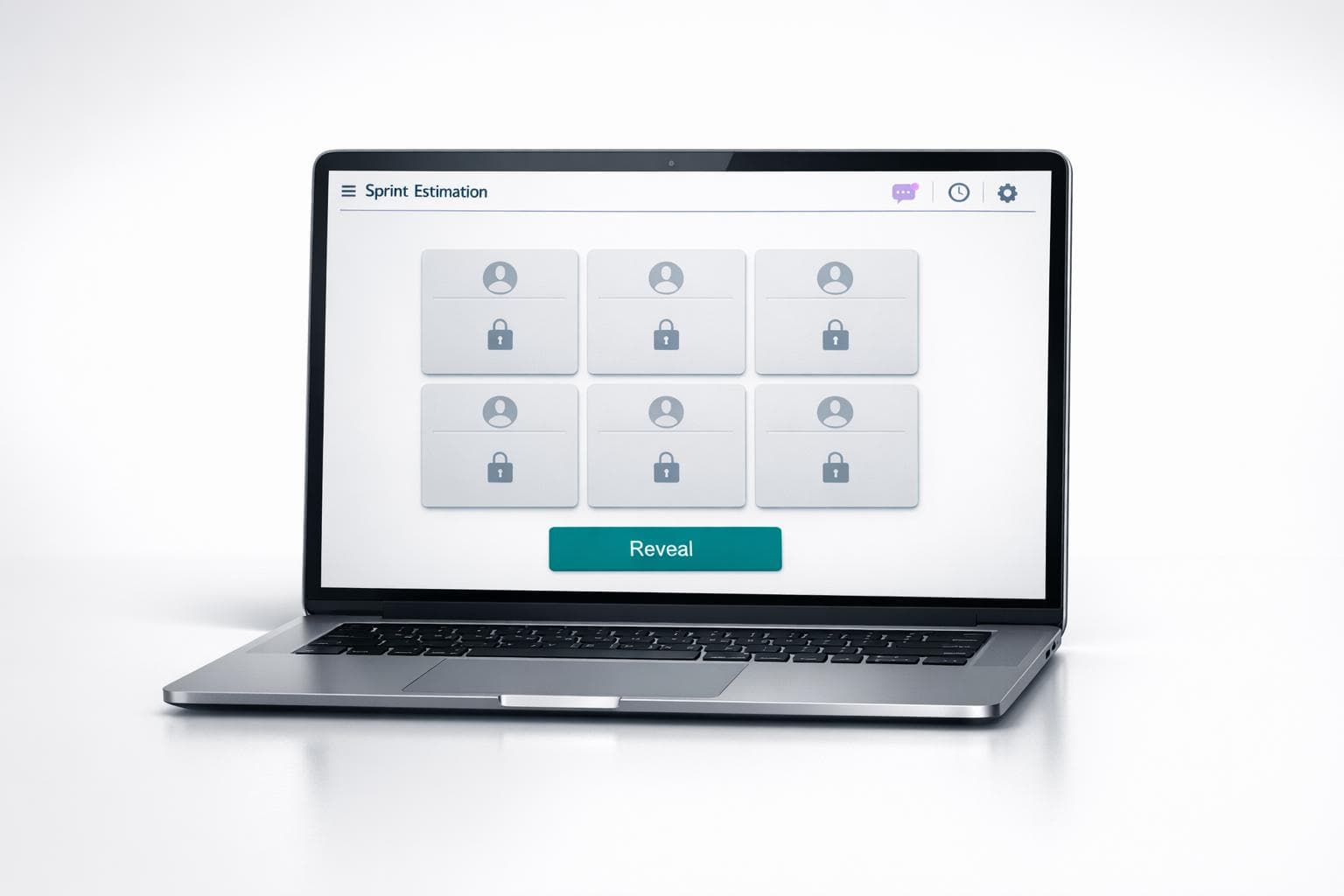
Planning Poker is a collaborative estimation technique used by Agile teams to evaluate task complexity. It ensures fair input from all team members, avoids anchoring bias, and promotes accurate task assessments. This method works equally well for remote teams, thanks to online tools like iAmAgile, which streamline the process with features like Slack integration, customizable voting scales, and mobile access.
Key Steps for Running Online Planning Poker:
- Prepare in Advance: Share user stories with clear acceptance criteria 24–48 hours before the session.
- Gather the Team: Include developers, product owners, QA members, and a facilitator.
- Use the Right Tools: Platforms like iAmAgile simplify voting, discussions, and syncing with project backlogs.
- Follow the Process: Present the story, vote privately, reveal results, discuss differences, and re-vote if needed.
- Keep It Efficient: Limit discussions to 2–5 minutes per story and aim to estimate 4–6 stories per hour.
Tips for Success:
- Test tools and connections beforehand.
- Use headphones to reduce background noise.
- Encourage participation through structured discussions and visible timers.
- For wide estimate variations, focus on outliers to clarify misunderstandings.
Efficient sessions depend on preparation, structured facilitation, and the right tools. Platforms like iAmAgile enhance remote collaboration, making task estimation smoother and more engaging.
How to play Planning Poker? Agile Estimation
What You Need Before Starting
Running a successful online Planning Poker session means having the right people, well-prepared stories, and dependable technology. Once everything is in place, you're ready to guide the team through the process step by step.
Gather Your Team Members
To create well-rounded and unbiased estimates, you need a diverse group covering all aspects of the project. Here's who to include:
- Developers: They bring technical expertise and can identify potential challenges or complexities.
- Product Owners: They clarify requirements and answer any questions about the user stories.
- QA Team Members: They highlight testing-related challenges that could impact effort.
- Facilitator: Often the Scrum Master, this person ensures the session stays on track and discussions remain productive.
It’s a good idea to have technical leads review stories beforehand to ensure they’re detailed enough for accurate estimates.
Prepare User Stories and Choose Your Scale
Each user story should include clear acceptance criteria and a Definition of Done. To streamline the process, establish 2–3 baseline tasks as reference points. Providing additional context - like mockups, designs, or technical requirements - helps clarify the stories. Distribute these stories 24–48 hours before the session so participants can review them in advance. This prep work can significantly cut down discussion time during the session, sometimes by as much as 30–40%.
For estimation, choose a scale that matches the level of uncertainty. The Fibonacci sequence (1, 2, 3, 5, 8, 13, 21) is widely used because it avoids false precision by increasing the gap between numbers as tasks grow larger. For teams new to relative sizing or working on high-level planning, T-shirt sizes (XS, S, M, L, XL) are a simpler alternative.
"If you can't get consensus, don't sweat it. It is only one story out of many. Defer the story, split it, or take the low estimate." - James Grenning, Inventor of Planning Poker
Set Up Your Tools and Internet Connection
A seamless tech setup is just as important as good teamwork. Send out a test invite at least 24 hours before the session, and ask participants to join 5 minutes early to do a trial vote and check their connection. Platforms like iAmAgile are browser-based, so there’s no need for software downloads, making it easy for team members to join from any device.
"Discovering tool access issues 5 minutes into your session wastes everyone's time." - Alice Test, FreeScrumPoker
To avoid disruptions, ask everyone to use headphones to reduce echo and background noise. Encourage participants to find a quiet space and set clear expectations about when cameras should be on - specifically during voting reveals, as non-verbal cues like surprise or confusion can provide valuable insights. Poor audio quality can quickly derail engagement, so remind participants to mute when they’re not speaking and use push-to-talk features in noisy environments.
How to Run an Online Planning Poker Session
5-Step Online Planning Poker Process Guide
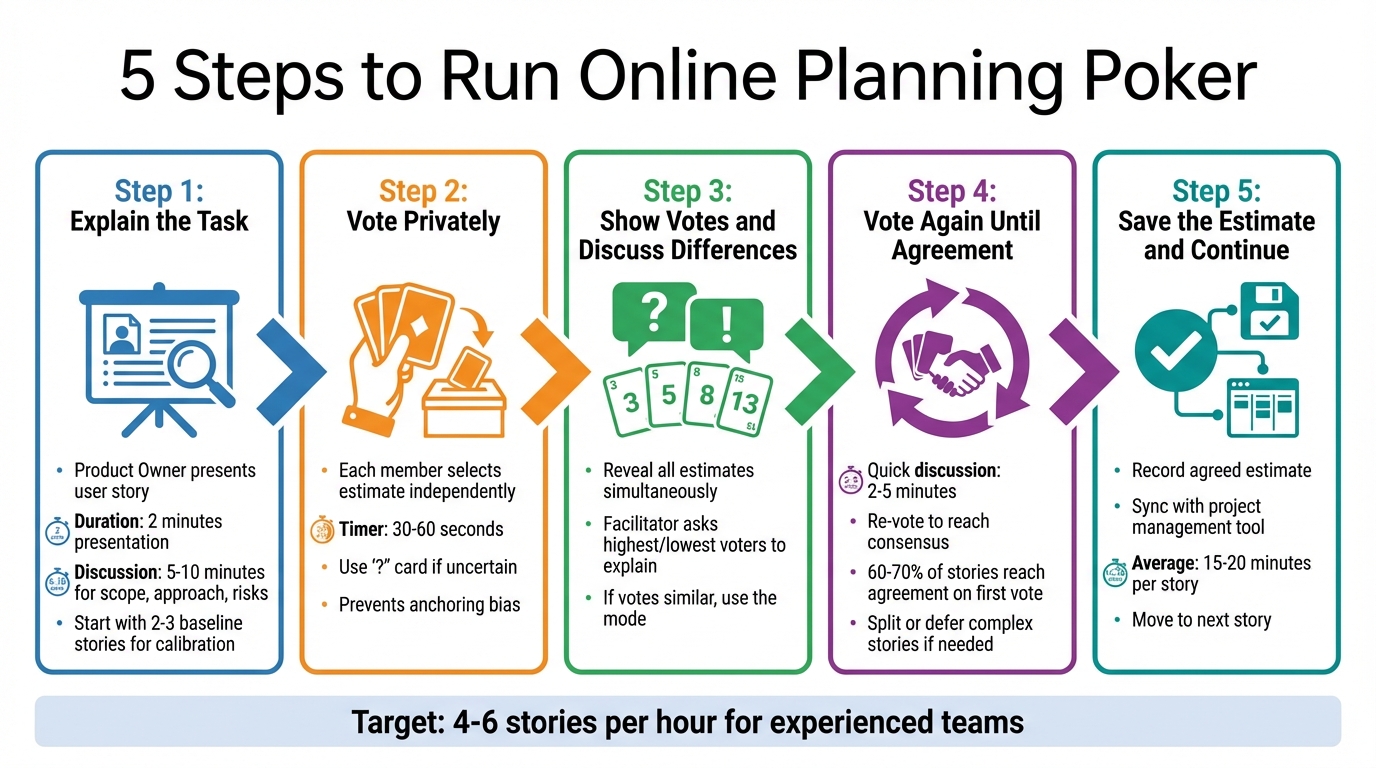
Got your team and user stories ready? Now it's time to dive into estimation. Here's a step-by-step guide to keep things running smoothly.
Step 1: Explain the Task
Kick things off with the Product Owner presenting the user story. They should cover the main points, acceptance criteria, and any supporting visuals. This part should take about 2 minutes. Then, set aside 5–10 minutes to discuss the scope, approach, and potential risks. To get everyone calibrated, start with 2–3 recently completed stories to establish what a "5" or "8" estimate feels like.
Step 2: Vote Privately
Each team member picks their estimate without seeing anyone else’s choice - this avoids anchoring bias. Use a 30–60-second timer to keep things moving. If someone’s unsure about the complexity, they can select a "Question Mark" card to flag their uncertainty.
Step 3: Show Votes and Discuss Differences
After voting, reveal everyone’s estimates at the same time. If there’s a big range in the votes, the facilitator should ask the team members with the highest and lowest estimates to explain their reasoning first. If most votes are similar, go with the mode.
Once the differences are clarified, the team can finalize the estimate.
Step 4: Vote Again Until Agreement
If needed, hold a quick 2–5 minute discussion and then vote again to reach consensus. About 60–70% of stories typically reach agreement on the first vote. For complex stories where consensus isn’t possible, consider breaking them into smaller tasks or setting them aside for more refinement later.
Step 5: Save the Estimate and Continue
Once the team agrees on an estimate, record it and move on to the next story. Syncing estimates directly with your project management tool can save time and reduce errors. For teams using Slack, you can even run instant planning poker in Slack to further streamline the process. On average, you can expect to spend 15–20 minutes per user story during a Planning Poker session.
How iAmAgile Makes Online Planning Poker Easier
Estimation sessions shouldn’t feel like a juggling act between multiple tools, nor should they leave remote team members struggling to keep up. iAmAgile simplifies the process by combining everything into a single, smooth workflow, letting your team focus on what really matters - accurate estimates.
Main Features of iAmAgile
One standout feature of iAmAgile is its Slack integration. Just type /poker in your Slack channel, and voilà - a new estimation room opens instantly. No need to scramble for meeting links or switch between apps. Your team can invite participants, cast votes, and discuss - all within the same space where work conversations are already happening.
Another highlight is the customizable voting scales. Whether your team prefers Fibonacci numbers, T-shirt sizes, or a custom point system, iAmAgile adapts to your workflow. The simultaneous reveal ensures that all votes are shown at the same time, eliminating anchoring bias and promoting fair, unbiased estimates.
For distributed teams or those on the move, mobile access is a game-changer. Whether someone’s traveling, working remotely, or simply away from their desk, they can join and vote seamlessly from their phone or tablet. The platform’s responsive design ensures a smooth experience across devices. Handy features like "pokes" let you remind anyone who might have stepped away, while "high-fives" add a fun touch, celebrating consensus when the team aligns.
Why Teams Use iAmAgile
iAmAgile’s features come together to make estimation sessions faster and more efficient. The biggest win? Speed. Since everything happens directly in Slack, your team can move from “let’s estimate this” to voting in mere seconds. For remote teams, this centralized approach keeps everyone engaged and ensures no one gets left out, even during longer discussions. By reducing friction and keeping the process streamlined, iAmAgile helps maintain momentum and avoid the delays that can bog down planning sessions.
Tips for Running Better Sessions and Solving Problems
Online Planning Poker sessions can quickly go off track without some structure. A great way to avoid this is to have team members review user stories before the session. Setting up a Slack or Teams thread for questions ahead of time can also help clarify any uncertainties. This preparation ensures that discussions during the session stay focused and productive.
Keep Discussions Short and On Topic
Once the session begins, the goal is to keep discussions brief and focused. Using a 2–3 minute visible countdown timer per story is a great way to maintain momentum and prevent anyone from monopolizing the conversation. If a topic drags on for more than 5 minutes without progress, it’s usually a sign the story isn’t ready for estimation. In such cases, try the "parking lot" technique: use a shared document or digital whiteboard to jot down off-topic ideas or technical debates for later.
For experienced teams, aiming to estimate 4–6 stories per hour is a solid benchmark. Since attention tends to wane after 45 minutes of focused video discussions, scheduling a quick 5-minute break at that point can help recharge everyone’s energy.
Handle Large Differences in Estimates
When votes vary widely, start by asking the highest and lowest estimators to explain their reasoning. This approach often reveals overlooked complexities or clears up misunderstandings. After hearing from these outliers, hold a second round of silent voting. Typically, estimates will align more closely once everyone is on the same page.
Here’s a quick guide for handling different voting patterns:
| Voting Pattern | Example | What to Do |
|---|---|---|
| Tight Consensus | 5, 5, 5, 8, 5 | Take the majority vote and move on. |
| Moderate Spread | 3, 5, 5, 8, 5 | Hear from the 3 and 8 briefly, then re-vote. |
| Wide Divergence | 2, 5, 13, 8, 21 | Discuss the extremes (2 and 21); if no agreement in 5 minutes, park it. |
| Lone Outlier | 5, 5, 5, 5, 13 | Ask the outlier to explain what they’re seeing that others might not. |
Get Remote Team Members to Participate
To ensure everyone has a voice, try a round-robin approach instead of waiting for volunteers. This method brings quieter team members into the conversation and prevents the same individuals from dominating. During the "reveal" phase, ask everyone to turn on their cameras so you can pick up on non-verbal cues like surprise or confusion.
For a little extra help, tools like iAmAgile include features such as "pokes" to nudge team members who may have stepped away and "high-fives" to celebrate when the team reaches consensus. These small touches can keep the session both engaging and fun.
Conclusion
Running effective Planning Poker sessions hinges on good preparation, structured facilitation, and the right tools. Reviewing user stories in advance is a key step - it cuts down on unnecessary discussions and helps avoid dragging out virtual meetings.
Once you've laid the groundwork, structured facilitation becomes essential for keeping the session on track. Anonymous voting helps eliminate anchoring bias, while tools like visible timers and "Park It" boards ensure conversations stay focused, steering clear of technical rabbit holes. For experienced agile teams, a typical pace is estimating 4–6 stories per hour, with a goal of reaching a 60–70% consensus on the first vote.
Building on this foundation, tools like iAmAgile take efficiency to the next level. iAmAgile automates vote reveals, includes fun features like "pokes" and "high-fives", and even integrates with Slack to streamline remote sessions. Studies show that Planning Poker produces more accurate estimates compared to individual efforts when teams use the right structure and tools.
Don’t forget to schedule breaks to keep everyone engaged. When estimates vary significantly, focus on the highest and lowest outliers to uncover hidden risks or misunderstandings about the scope. If consensus isn't reached within 5 minutes, set the story aside for further refinement.
FAQs
When should we split a story instead of estimating it?
In agile practices, a story should be split if it’s too large or complicated to estimate effectively as a single unit. Stories that are particularly extensive, often referred to as "epics", need to be broken down into smaller, more manageable chunks. Doing this helps improve estimation accuracy, minimizes uncertainty, and ensures each story can be completed within a sprint. This approach makes planning and execution much more straightforward for the team.
How do we turn story points into sprint capacity?
To translate story points into sprint capacity, begin by identifying your team's velocity - the average number of story points completed across previous sprints. This serves as a reliable reference point for planning.
Next, estimate the effort for each story using techniques like Planning Poker. Assign story points accordingly and choose stories whose combined points match your team's velocity. This approach helps maintain manageable workloads and reduces the risk of overcommitting, resulting in more consistent and predictable sprint results.
What if our team keeps estimating inconsistently?
Misaligned estimates often stem from unclear user stories or differing interpretations of the effort required. To address this, focus on fostering open discussions to clarify the scope. Ensure the product owner explains user stories in detail and creates space for team members to ask questions.
A structured approach can help streamline this process. For example, try having team members reveal their estimates at the same time, then discuss any outliers to understand differing perspectives. After addressing these discrepancies, repeat the estimation process. Over time, this method can build a shared understanding and lead to more consistent estimates.
Ready to improve your team's planning?
Put what you've learned into practice! Make your next planning session more engaging and accurate.
Try for free - no signup required