Sprint Goals vs. Task Priorities
Published Sep 28, 2026
⦁
11 min read
Sprint Goals vs. Task Priorities
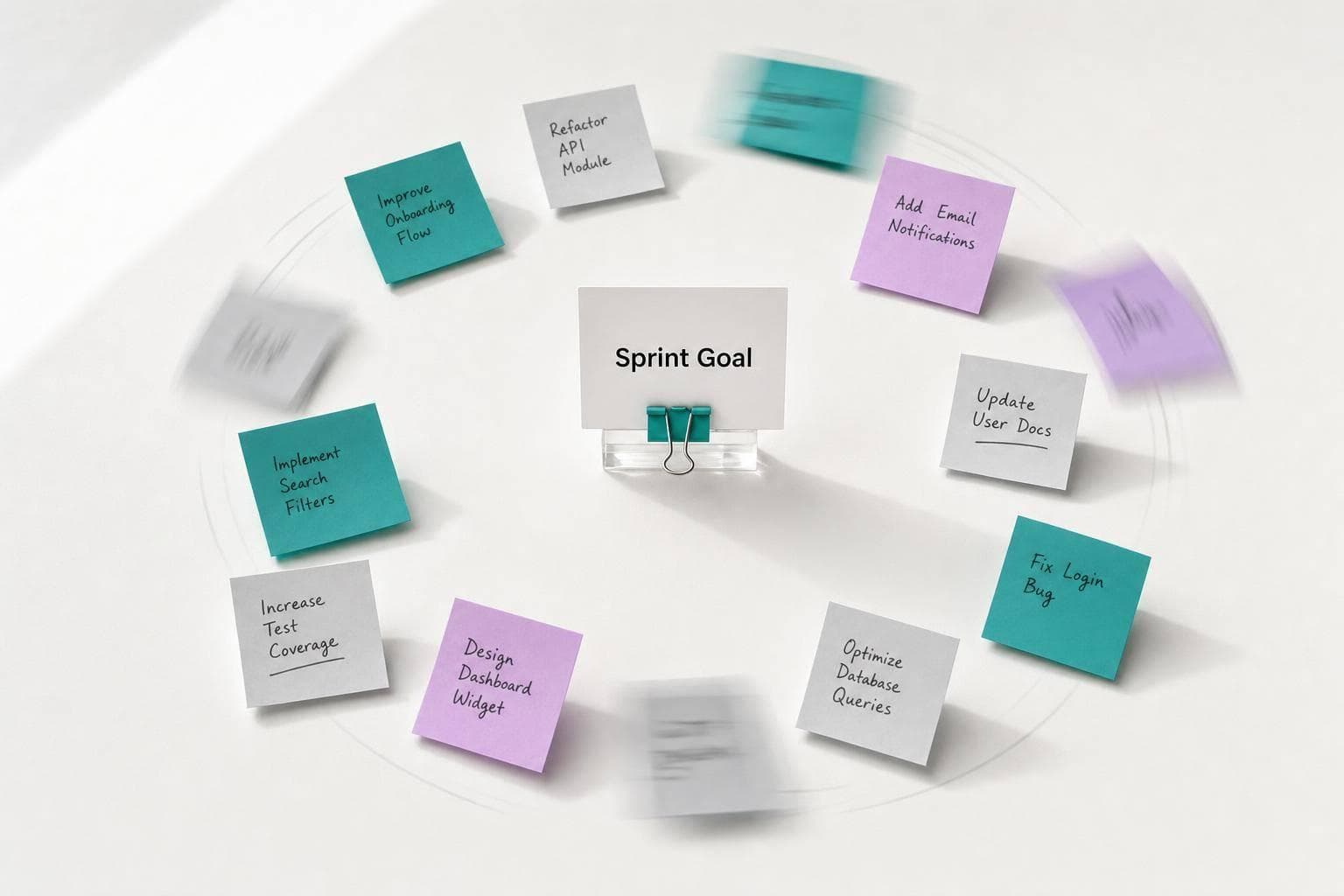
Here’s the short answer: a Sprint Goal tells me what outcome I’m trying to reach, while task priorities tell me what I should do first. When I mix them up, Sprint Planning turns into a to-do list, and the team can lose sight of the point of the Sprint.
In Scrum, the Sprint Backlog has 3 parts: the why (Sprint Goal), the what (selected backlog items), and the how (the plan). This article makes one main point: I should keep those 3 layers separate. The goal should stay fairly steady during the Sprint, while task order can change as blockers, risks, and new facts show up.
Here’s what matters most:
- Sprint Goal = the single outcome for the Sprint
- Task priorities = the order of work
- The Scrum Team sets the goal together
- Developers reorder tasks during the Sprint
- Estimation checks if the plan fits the Sprint, but it should not decide priority
- Daily Scrum should keep coming back to progress toward the goal
If I’m unsure what to work on next, a simple rule helps: pick the next task that gives the team the best chance of hitting the Sprint Goal, while also looking at dependencies, testing, and risk.
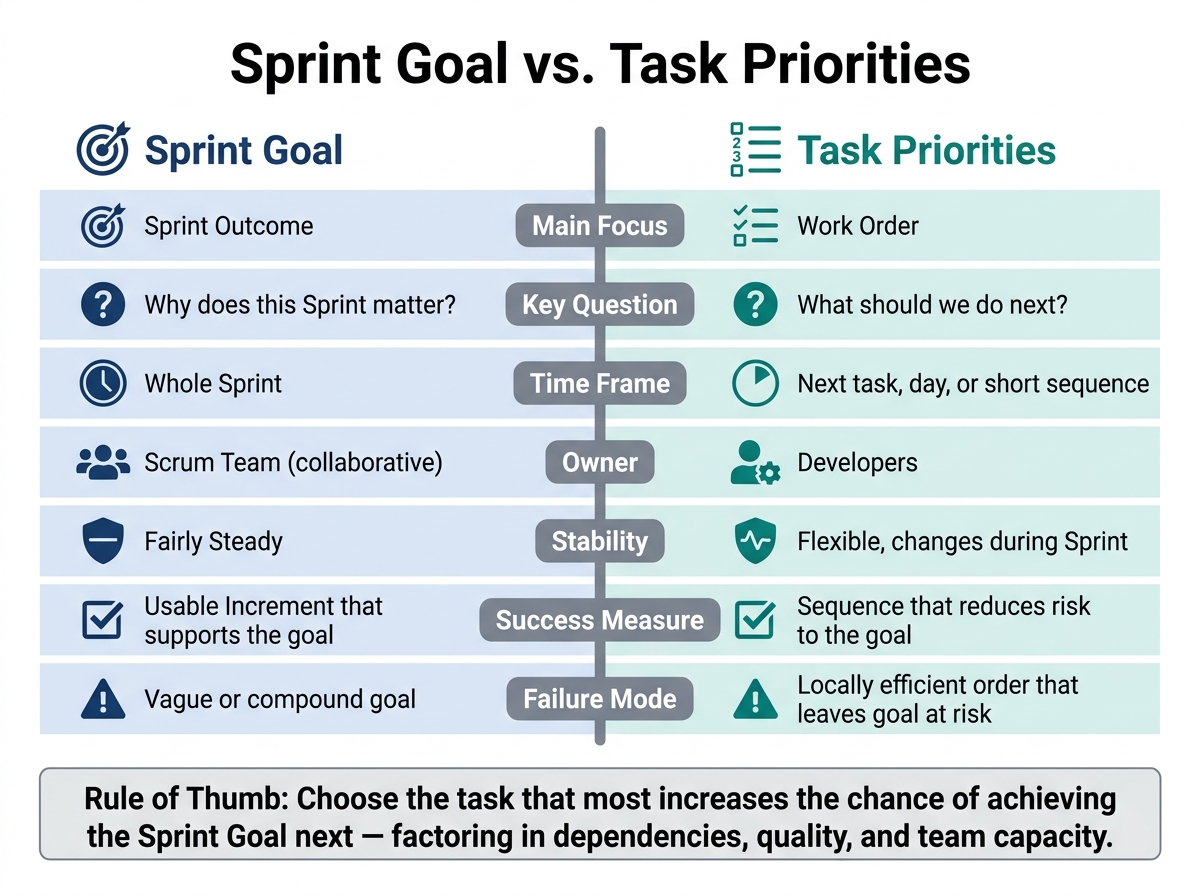
Sprint Goal vs. Task Priorities: Key Differences at a Glance
Scrum Sprint Goal Explained | Outcome vs Output in Agile Teams
Quick Comparison
| Criteria | Sprint Goal | Task Priorities |
|---|---|---|
| Main focus | Sprint outcome | Work order |
| Question it answers | Why does this Sprint matter? | What should we do next? |
| Time frame | Whole Sprint | Next task, day, or short sequence |
| Who drives it | Scrum Team | Developers |
| How stable it is | Fairly steady | Can change during the Sprint |
| Used to judge success | Did we produce a usable Increment that supports the goal? | Did the work order help us get there? |
So if a task is urgent but does not help the goal, I should question whether it belongs in the Sprint at all. That’s the core idea behind the whole article.
Sprint goals vs. task priorities: definitions, differences, and tradeoffs
What a Sprint Goal is and what it does
The Sprint Goal is the one outcome the Scrum Team is trying to hit during a Sprint. It answers a simple question: Why does this Sprint matter?
A good Sprint Goal doesn’t read like a pile of tickets. It points to a result that means something, like helping new customers finish onboarding and set up their first project.
During Sprint Planning, the team turns that goal into selected work and a plan to deliver it. That plan isn’t rigid. Developers can change how they implement the work as they learn more, as long as the goal still looks achievable. But that only works if the order of tasks still moves the team toward the goal.
What task priorities are and how they work
If the Sprint Goal defines the outcome, task priorities define the order of execution. Task priorities are the Developers’ calls about what to work on next. That includes analysis, coding, testing, and deployment prep.
Unlike the Sprint Goal, task priorities can shift during the Sprint. Dependencies show up. Risks appear. New information changes what makes sense to do first.
Task priorities also aren’t the same as Product Backlog ordering. Product Backlog ordering belongs to the Product Owner and is shaped by product value, risk, and customer impact. Task sequencing is an implementation call made by the Developers. So a lower-value task might move to the top if it unblocks other work or surfaces a serious risk early.
Side-by-side comparison: purpose, owner, stability, and success measure
A strong Sprint Goal does not automatically create a smart task sequence. The goal tells the team where it’s going. Sequencing decides how safely and efficiently it gets there.
That gap matters. Dependencies, technical risk, testing needs, and mid-Sprint discoveries all affect which task deserves attention next. The goal alone doesn’t sort that out.
The table below shows the difference:
| Dimension | Sprint Goal | Task priorities |
|---|---|---|
| Purpose | Defines the single outcome for the Sprint | Sets the order of implementation work |
| Scope | Sprint-level; connects selected Product Backlog items to product value | Task-level; covers the next practical steps |
| Owner | Created collaboratively by the Scrum Team | Managed and adapted by the Developers |
| Time horizon | Covers the entire Sprint | Concerns the next task, day, or short sequence |
| Stability | Relatively stable; should not change casually | Flexible; re-sequenced as risks and discoveries emerge |
| Decision criteria | Customer value, product purpose, feasibility | Dependencies, risk, testability, contribution to the goal |
| Success measure | A usable Increment that supports achievement of the goal | A sequence that reduces risk to the goal |
| Typical failure mode | Vague or compound goal that gives little guidance | Locally efficient task order that leaves the Sprint Goal at risk |
A useful rule of thumb brings both ideas together: choose the task that most increases the chance of achieving the Sprint Goal next, while factoring in dependencies, quality, and team capacity. The goal is the commitment. The tasks are the flexible plan.
Next comes estimation. Use it to check whether the plan is realistic, without letting estimates decide priority. From there, the team can order the Sprint Backlog so the top-priority tasks support the goal first.
How to align task priorities with the Sprint Goal
Build the Sprint Backlog in the right order
Once the Sprint Goal is set, the next move is to line up the work around that goal. This is where teams either stay focused or drift into a pile of tasks. The safest path is simple: start with the goal, pick the right items, then sort the tasks.
Choose only the Product Backlog items that directly support the Sprint Goal. A useful gut check is this: if you remove the item, does the Sprint Goal become impossible to hit, more risky, or less useful? If the answer is no, leave it in the Product Backlog. Pick only the work that fits the team’s capacity and still meets the Definition of Done.
After that, break the selected items into tasks and order them based on dependencies, risk, and what the team needs to produce a usable Increment. If the goal is password reset, for example, email checks and token handling should come before UI polish. Put approvals, integrations, and risky assumptions on the table early.
That order shouldn’t be rigid. As the Sprint moves, the path may shift.
Adjust task order during the Sprint without dropping the goal
Task order can change when blockers show up or new facts come in. Change the route, not the goal.
If an integration task gets blocked, the team may need a different path to reach the same outcome. But dropping the feature is something else entirely. That changes the goal, not just the sequence of work. The first case calls for resequencing. The second needs a direct conversation with the Product Owner. If a new request shows up mid-Sprint, test it against the goal before saying yes. If it doesn’t protect the Sprint Goal, deal with a severe product risk, or meet a legal or operational requirement, it belongs in the Product Backlog, not the current Sprint.
Use the Daily Scrum to check progress against the goal
This is where the team checks whether the plan still makes sense. The Daily Scrum is about progress toward the Sprint Goal and adjusting the Sprint Backlog as needed. It’s the right moment to ask: do the next tasks still support the goal? And if the order changes, are we still heading toward the same result?
Three prompts can keep that discussion grounded:
- What moved us toward the Sprint Goal?
- What is blocking the next step?
- What should we do in the next 24 hours?
Teams often get pulled into urgent work that feels important but doesn’t move the goal forward. The Daily Scrum helps catch that drift early, reshuffle upcoming work, and keep execution aimed at the outcome the team committed to.
From there, estimation helps test whether the plan is realistic. This includes determining how many story points per sprint the team can realistically handle.
Using estimation to support alignment, not replace prioritization
What estimation should inform during Sprint Planning
Once the Sprint Goal is clear and the team has lined up the work, estimation acts like a reality check. It helps the team see whether the plan fits the people, time, and constraints in front of them. In Sprint Planning, estimation is there to test feasibility. It does not decide priority or business value. The Sprint Goal and the work selected to support it do that.
Relative estimates - like story points or T-shirt sizes - help the team compare effort, complexity, and uncertainty across possible items. That matters, because a feature estimated at 13 points may still be the right choice over a 3-point item if it better supports the Sprint Goal. Size alone shouldn't drive the call.
Use estimates to pressure-test assumptions around capacity, risk, and dependencies. Put simply, each estimate should help answer a planning question:
| Estimation input | Planning decision it informs |
|---|---|
| Effort, complexity, and size | Whether the item fits capacity or needs splitting |
| Uncertainty or unfamiliar technology | Whether to add a spike, reduce scope, or plan a contingency |
| Dependencies on another team or system | Whether to resequence or confirm the dependency first |
| Acceptance criteria and Definition of Done | Whether the item is understood well enough to forecast |
| Team capacity and planned absences | How much work the team can realistically forecast |
| Historical delivery patterns | Whether the forecast is in line with recent results |
How collaborative estimation keeps the Sprint plan realistic
Start with the goal. Then agree on the outcome, choose the items that support it, and estimate those items to see whether the plan still holds up against the Sprint Goal.
When estimates expose trouble - maybe an item is too large, a dependency isn't ready, or the acceptance criteria reveal more work than expected - the team adjusts the plan, not the goal. That could mean splitting a feature into a smaller slice that delivers the main value now, while pushing secondary work to later. In that case, the estimate changes the route, not the destination.
A wide spread in estimation votes is often more useful than the final number. If some people vote 3 and others vote 13, that gap usually points to different assumptions about scope, effort, or risk. That's where the useful part begins. The discussion that follows - not the number itself - is where planning gets sharper.
If some team members vote 3 and others vote 13, that gap signals different assumptions about scope or risk.
Where iAmAgile fits in planning sessions
For teams that estimate together, iAmAgile lets them run Scrum poker in Slack, use custom voting scales, and estimate from mobile devices. It supports collaborative estimation after the Sprint Goal and candidate items are set.
Common misalignment patterns and key takeaways
Misalignment patterns that weaken delivery
When alignment starts to slip, the same problems tend to show up again and again. That makes them useful as a quick gut check when Sprint planning gets messy or the Daily Scrum starts drifting.
| Misalignment pattern | What goes wrong | Direct correction |
|---|---|---|
| Task-first planning | The team fills the Sprint before agreeing on an outcome. | Set the Sprint Goal first, then select and sequence only supporting work. |
| Too many competing goals | Attention splits across unrelated objectives, making tradeoffs unclear. | Keep one Sprint Goal; move unrelated requests to the Product Backlog. |
| Static task order | The original task sequence survives even when new information makes it inefficient. | Inspect progress regularly and reorder upcoming work while preserving the Sprint Goal. |
| Urgency without value | Interruptions displace work that contributes more directly to the goal. | Accept urgent work only when it protects the goal or a valuable Increment. |
| Goal without actionable work | The outcome statement sounds valuable but isn't backed by a realistic delivery plan. | Tie the goal to a small set of backlog items and break the work into inspectable steps. |
| Estimation-led commitment | A capacity number becomes the decision driver instead of value and feasibility together. | Set the goal and selected work first, then use estimates to test realism and expose risks, dependencies, and assumptions. |
A simple warning sign: if the Daily Scrum never comes back to the Sprint Goal, the task order likely needs another look.
Conclusion: one objective, flexible execution
Each of these patterns points to the same issue: the plan has wandered away from the goal.
The Sprint Goal defines the outcome. Task priority defines the order of work. Keep the goal steady, and change the route as new information comes in.
FAQs
What makes a Sprint Goal strong?
A strong Sprint Goal gives the team a shared direction for the sprint. Instead of working through a simple task list, everyone is working toward the same outcome.
When the goal is set before planning starts, it helps the team match its available capacity to the top priorities. It also keeps the sprint focused from start to finish.
Who can change task priorities during a Sprint?
The materials don’t say who can change task priorities after a Sprint starts.
They do make one thing clear: the Product Owner ranks stories and sets priorities during Sprint planning. But when it comes to changing those priorities during an active Sprint, the materials stay silent.
So the safest reading is simple: this point is not specified in the provided sources.
What if urgent work doesn't support the Sprint Goal?
When urgent work doesn’t support the Sprint Goal, it can drag the team off course. Keep the Sprint Goal front and center.
If the work is actually critical, talk with the Product Owner and decide whether to swap it with a task that takes about the same effort or change the sprint scope. iAmAgile can help the team quickly re-estimate the impact of those changes.
Ready to improve your team's planning?
Put what you've learned into practice! Make your next planning session more engaging and accurate.
Try for free - no signup required