T-Shirt Sizing in Agile: Basics
Published Aug 17, 2026
⦁
8 min read
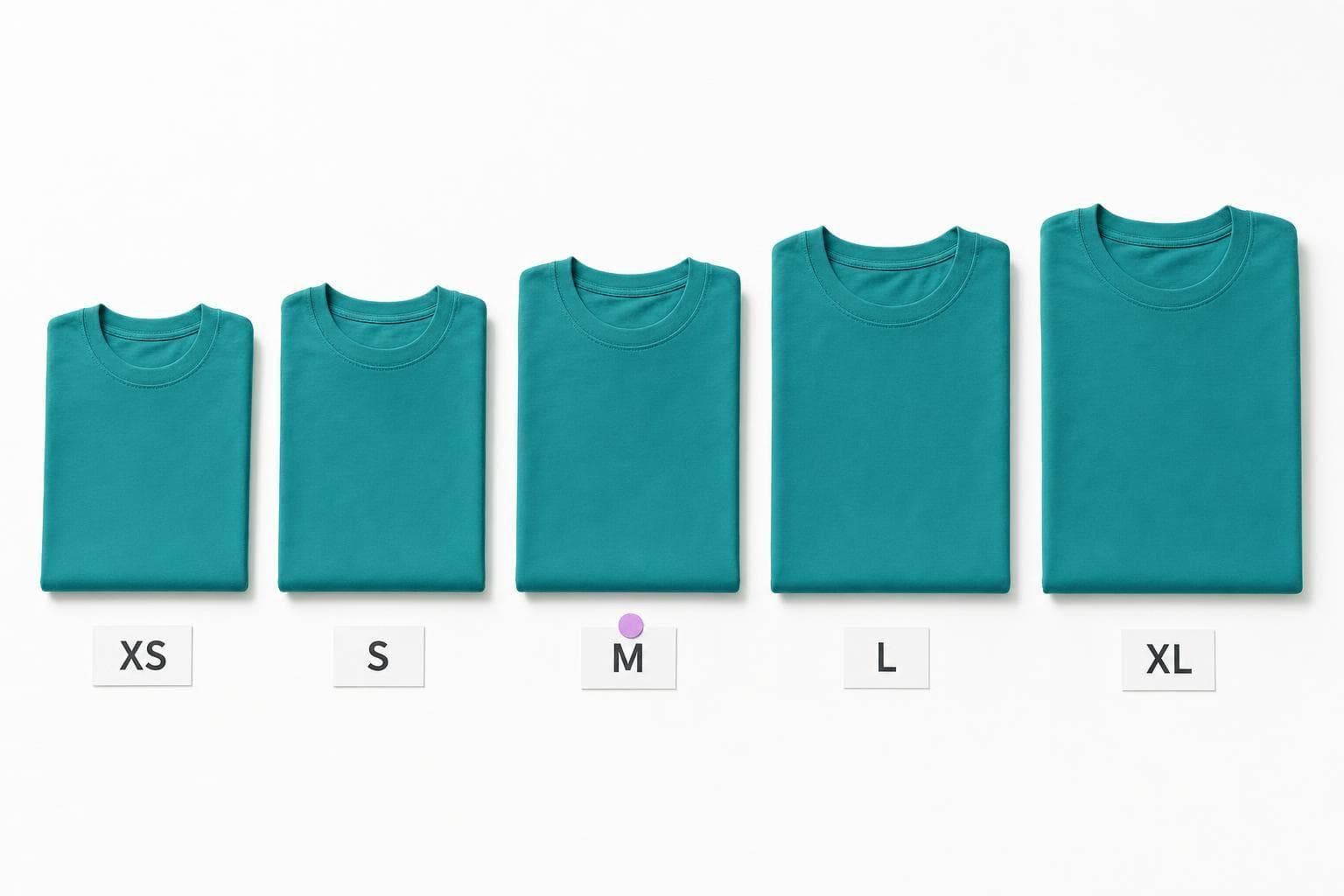
T-Shirt Sizing in Agile: Basics
T-shirt sizing is a rough way to estimate work when details are still missing. I use it to compare backlog items with XS, S, M, L, and XL instead of hours, dates, or $ amounts.
At this stage, exact estimates can mislead people. One study cited in the article says early effort and cost estimates can be 250% higher than first forecasts. So the main job of T-shirt sizing is simple: help a team sort work by effort, risk, and unknowns before detailed planning starts.
Here’s the short version:
- I use T-shirt sizing for epics, features, and large stories
- I do not use it by itself for sprint commitments or fixed delivery dates
- I set anchor items first so each size means the same thing to everyone
- I keep sessions short with silent voting, a brief talk, and a re-vote if needed
- I treat XL as a cue to split the work
- I avoid turning sizes into exact numbers, because that defeats the point
What this article boils down to:
- Why it works: it gives teams a shared rough scale early on
- Where it fits: roadmap planning, discovery, and backlog triage
- What to watch for: size drift, false precision, and using it like a forecast tool
If you need a plain way to size fuzzy work fast, this method does the job - as long as you keep it rough and relative.
T-Shirt Sizing Explained | Agile Estimation Technique for Scrum Teams
How T-Shirt Sizing Works
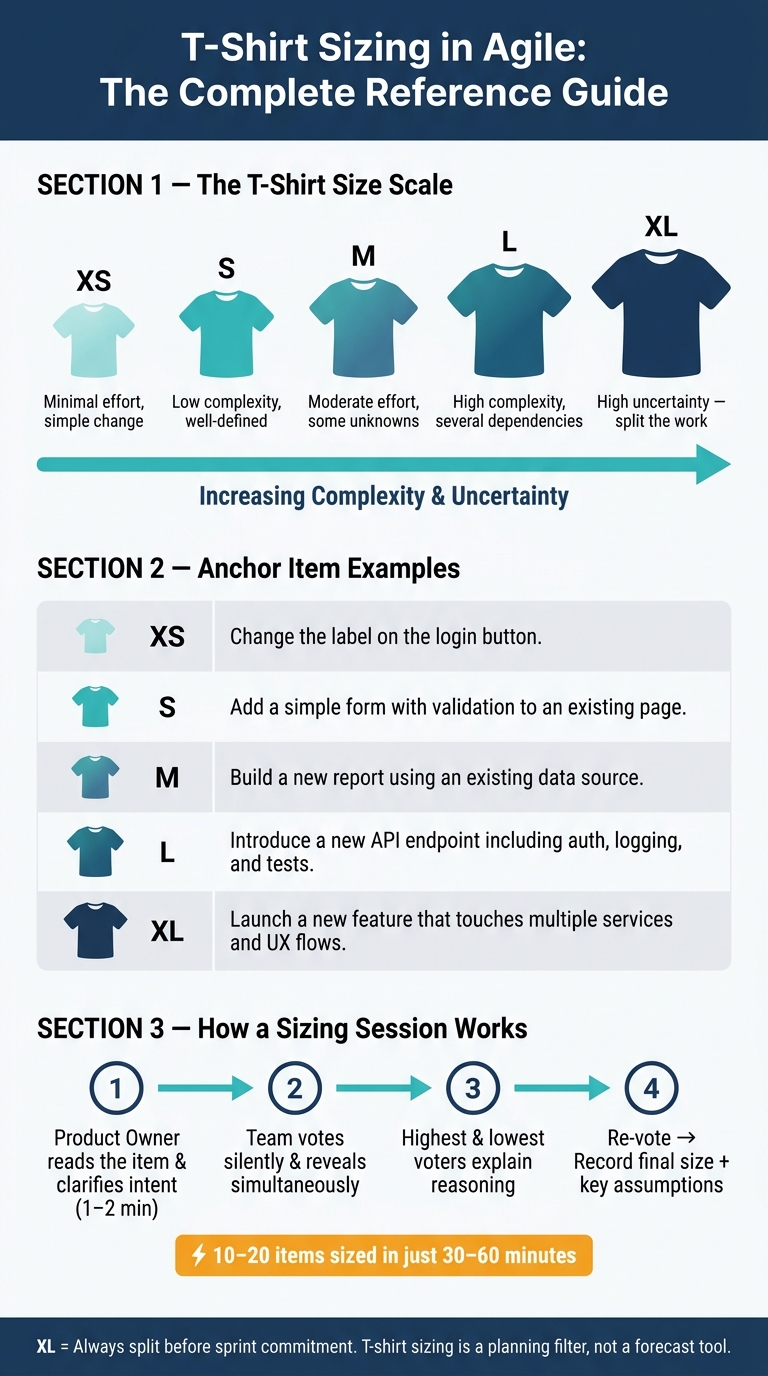
T-Shirt Sizing in Agile: Scale, Anchors & When to Use It
T-shirt sizing works by comparing items to each other, not by tying them to hours, dates, or dollars. The team looks at a backlog item and asks: is this closer to S or L? That keeps the discussion on relative effort, complexity, and uncertainty instead of turning it into a debate about exact time.
Define the Scale and Agree on Anchor Items
Use a fixed XS-to-XL scale, and add XXL only if you need it. Before the team sizes anything, agree on a few anchor items first. These are real backlog items the team has already delivered or knows very well, and each one should stand in for a size on the scale.
Example anchor set:
| Size | What It Typically Means | Example Anchor |
|---|---|---|
| XS | Minimal effort, simple change | Change the label on the login button |
| S | Low complexity, well-defined | Add a simple form with validation to an existing page |
| M | Moderate effort, some unknowns | Build a new report using an existing data source |
| L | High complexity, several dependencies | Introduce a new API endpoint including auth, logging, and tests |
| XL | High uncertainty, usually needs splitting | Launch a new feature that touches multiple services and UX flows |
Keep these anchors in a shared one-page guide. When everyone is using the same reference points, new items get sized faster and with less back-and-forth.
Size Items Through Short Team Discussions
Once the scale is anchored, sizing turns into a short compare-and-vote session. The Product Owner reads the item and clears up the intent in one to two minutes. Then the team votes silently and reveals votes at the same time. That helps avoid anchoring, where one person’s estimate nudges the rest of the group in the same direction.
If everyone votes the same size, record it and move on. If the votes differ, the highest and lowest voters explain why. The discussion should stay focused on dependencies, technical complexity, and unknowns. After that, vote again. Then record the final size along with the main assumptions inside the item.
A session run this way can size 10 to 20 items in 30 to 60 minutes.
Use XL as a Signal to Split the Work
If an item lands far outside the anchor range, treat XL as a signal to split the work. In plain terms, XL means the item needs more refinement before planning.
Split it along natural seams, such as:
- User flows
- Technical layers like API, UI, and data
- Delivery phases, such as MVP first and later improvements
After splitting, those smaller pieces can be sized again as M or L items and then pulled into a sprint. If you map an XL item straight to a sprint commitment, you skip that refinement step. That’s where teams drift into false precision, which is exactly what T-shirt sizing is supposed to avoid.
When to Use T-Shirt Sizing
Once your scale is anchored, T-shirt sizing helps you decide which items need a closer look next.
Best Use Cases: Roadmap Planning, Discovery, and Backlog Triage
T-shirt sizing works best when you need a fast way to size a lot of items and the scope is still fuzzy. In roadmap or quarterly planning, product managers and portfolio leads can sort epics and features into rough planning buckets before they spend time on detailed estimates.
It also fits discovery work well. Teams can use it to separate small bets from work that carries more risk. And for backlog triage, it’s fast enough to help a team move through a large backlog in a single session.
When Not to Use It on Its Own
T-shirt sizing is for early discussion. It’s not the right tool for sprint commitments or date-based promises.
A common pattern is simple: use T-shirt sizing during refinement or discovery to group epics and features, then re-estimate the items picked for an upcoming sprint with story points or a task breakdown. On its own, T-shirt sizing shouldn’t be used for contractual deadlines, budget commitments, or fixed-scope statements of work.
Using Collaborative Tools for Remote or Hybrid Sessions
The same vote-discuss-revote flow works for distributed teams too. In remote or hybrid sessions, you can use iAmAgile for simultaneous voting, Slack-based participation, and mobile access.
Strengths, Limits, and Common Pitfalls
T-shirt sizing works best when teams keep it rough and relative.
Main Advantages of T-Shirt Sizing
T-shirt sizing is simple to explain. Most people already know that XL is bigger than S, so cross-functional teams can start estimating with little to no setup. That makes it handy in big roadmap meetings, where teams may need to size dozens of items in just a few minutes.
The main upside is pretty clear:
- Speed
- Shared understanding
- A focus on relative effort instead of fake precision
Those upsides only hold when the method stays coarse.
Limitations and How to Reduce Them
That same simplicity also creates the main limit. T-shirt sizing is a planning filter, not a forecasting tool. It is coarse on purpose, which means two items with the same label can still differ a lot in actual effort.
Another issue shows up over time. If a team doesn't use anchor items and revisit them now and then, the meaning of each size can drift. When that happens, comparisons get messy across sessions or between teams.
One of the most common mistakes is turning sizes into hard numbers and treating them as exact. For example, assigning XS = 1, S = 2, M = 5, L = 8, XL = 13 and then planning around those figures brings back the false precision this method was meant to avoid. Once teams start acting like those numbers are exact, the whole point of T-shirt sizing starts to slip.
| Limitation | Recommended Mitigation |
|---|---|
| Size meanings drift over time | Define and document anchor examples per size; recalibrate periodically |
| Weak support for detailed forecasting | Combine with historical throughput data before committing to dates |
| Sizes treated as exact numbers | Keep sizes qualitative; set stakeholder expectations accordingly |
Conclusion: Key Points to Remember
T-shirt sizing is a relative, high-level way to compare backlog items with an XS-to-XL scale. It is not a forecasting tool. Its main job is to help teams compare items fast, which is why it fits best before detailed estimation begins.
This method works best for larger items in early planning, ahead of refinement and sprint planning. At that point, the goal isn't precision. The goal is a rough sense of scale, so the team can see which items are small, medium, or large compared with the rest.
For those early estimates to mean anything, teams need shared anchor items and a short team discussion. Those anchors give people a common reference point. Without them, sizing can drift, and one session can end up meaning something different from the next.
When an item lands at XL, that's usually a sign to split it. Before any sized item moves into committed delivery work, it should be broken into clearer scope and smaller pieces. That's where teams often get into trouble: they treat a rough size like a sprint commitment, and those are not the same thing.
Used at the right stage, T-shirt sizing keeps planning fast, practical, and tied to a shared view of the work. It's a planning tool first, and only secondarily a signal that an item may need more discussion before delivery.
FAQs
How do we choose good anchor items?
Pick anchor items that are small, clear, and easy for everyone to read the same way. A simple baseline helps a lot. Use a known, low-risk story first, then make sure the team agrees on what it means so fuzzy wording doesn’t throw off sizing.
The anchor should match both the estimation scale and the kind of work being estimated. If estimates are all over the map, that usually points to hidden risk or unstated assumptions. Call those out, talk through the gaps, and then estimate again.
Can different teams use the same T-shirt sizes?
Yes, but each team should set its own baseline.
T-shirt sizing is a relative way to estimate work. So a medium task for one team might mean something very different for another team in terms of scope or effort.
That’s why teams should agree on their own reference tasks for each size, rather than trying to use one shared standard across every team.
What should we do when an item feels between sizes?
If an item sits between two T-shirt sizes, the team should usually pick the larger one. That gives you a little breathing room if extra work shows up.
If the team still can’t agree after a few minutes, label the item Uncertain and plan a technical spike to get the details you’re missing.
Ready to improve your team's planning?
Put what you've learned into practice! Make your next planning session more engaging and accurate.
Try for free - no signup required